
Pegasus Options (Site-wide Settings)
Pegasus Options is its own item in the WordPress admin menu (its first sub-page is General Options). These are the global settings. They apply site-wide and are the foundation every page inherits. Some can be overridden on a single page; see Page Options and Headers.
The panel is one long page divided into sections. Scroll down to find each one, and remember to save when you’re done.
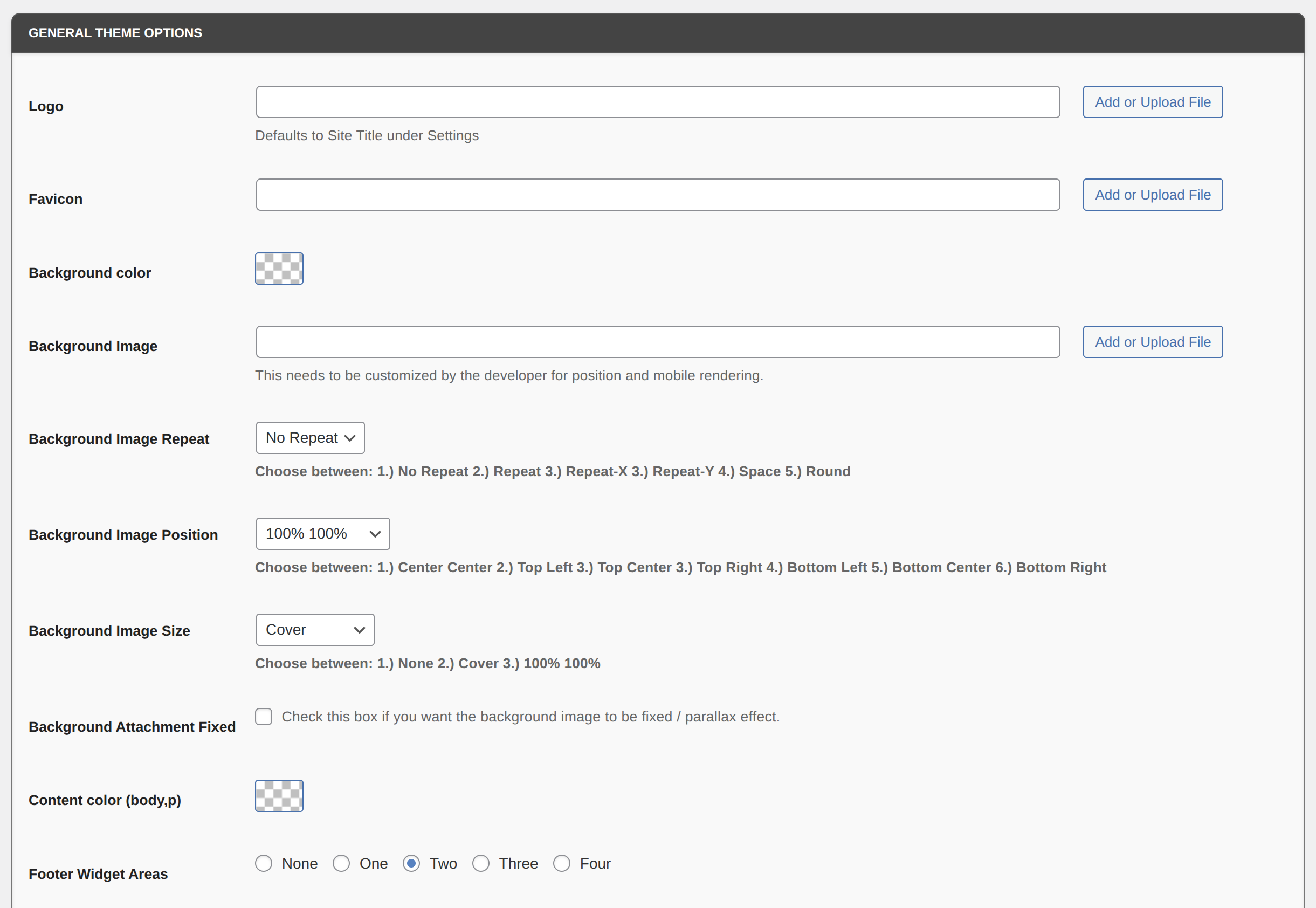
General Theme Options
Section titled “General Theme Options”Logo and favicon
Section titled “Logo and favicon”| Setting | What it does |
|---|---|
| Logo | Upload your site logo. When left empty, it shows the Site Title from Settings → General. |
| Favicon | The small icon shown in the browser tab |
Background and text
Section titled “Background and text”| Setting | Options |
|---|---|
| Background color | Base background color for the whole site |
| Background Image | Optional site background image |
| Background Image Repeat | No Repeat, Repeat, Repeat X, Repeat Y, Space, or Round |
| Background Image Position | 100% 100%, Center Center, Top Left, Top Center, Top Right, Bottom Left, Bottom Center, or Bottom Right |
| Background Image Size | None, Cover, 100% 100%, or Contain |
| Background Attachment Fixed | Check to fix the background image in place for a parallax effect |
| Content color (body,p) | Base text color for body copy and paragraphs |
Layout and site-wide switches
Section titled “Layout and site-wide switches”| Setting | What it does |
|---|---|
| Footer Widget Areas | None, One, Two, Three, or Four footer widget columns. Fill them under Appearance → Widgets (Footer 1, Footer 2, …). |
| Global fullwith container | Makes the whole website full-width |
| Boxed Layout | Shows the website in a boxed layout |
| Left Align Sidebar | Puts the sidebar on the left instead of the right |
| Enable Both Sidebars | Shows sidebars on both sides (turn on Left Align Sidebar too) |
| Enable Page Loader? | Controls the page loader (loading screen) |
| Disable WPADMIN Bar | Hides the WordPress admin toolbar on the front end of the site |
| Top Bar Checkbox | Turns on the top bar above the header (see Top Bar Options) |
| Enable Breadcrumbs | Shows breadcrumbs on pages |
| WooCommerce Theme? | Check if you sell products with WooCommerce |
| Disable Page Header? | Removes the page title from the top of every page |
| Disable Comments Globally? | Turns comments off on all pages |
| Enable back to top button | Adds a “back to top” button |
E-Commerce Options
Section titled “E-Commerce Options”For WooCommerce sites: Disable Shop Link?, Keep User and Cart Menu in Top bar, Disable User Menu?, and Disable Cart Menu?.
Top Bar Options
Section titled “Top Bar Options”The optional bar above the header (turn it on with Top Bar Checkbox above).
| Setting | What it does |
|---|---|
| Top Bar Background Color / Top Bar Font color | Colors of the bar and its text |
| Top Column Count | Two or Three areas |
| Top Header Outer Container | Wraps the top bar in a container |
| Left Area Content | Usually your phone number or email |
| Center Area Content | Middle content, e.g. your business name |
| Right Area Content | A shortcode or text |
| Social Icons enable | Shows your social menu on the right of the top bar (assign the Social Icon Menu, see Menus and Social Icons) |
Header and navigation
Section titled “Header and navigation”Header layout, header colors, the CTA button, and all the menu colors are covered on Header Layouts.
Additional Header Options (site-wide defaults)
Section titled “Additional Header Options (site-wide defaults)”The default hero/spacing header for pages: Global Page Additional Header Choice, background color, overlay color and opacity, NoSpacer Padding (site default 55px 0), a header image with repeat/position/size settings, and header content and color. Each page can override these. See Page Options and Headers.
Footer Options
Section titled “Footer Options”| Setting | What it does |
|---|---|
| Enable top border | Adds a top border, handy if your footer has no background color |
| Footer Text color / Footer Bkg color | Footer colors |
| Bottom Footer Background color | Color of the copyright bar |
| Fullwidth Bottom Bar | Makes the copyright bar full-width |
| Custom Footer Copywrite | Your own copyright text |
Additional Options
Section titled “Additional Options”| Setting | What it does |
|---|---|
| Custom CSS Code | Site-wide custom CSS |
| Header Custom Code | Shows right after the logo, before the menu |
| Bottom Custom Code | Shows right before the footer widgets, under the content |
| Enable Portfolio / Staff / Testimonial / Logo Slider Custom Post Type | Adds Pegasus Portfolio, Pegasus Staff, Pegasus Testimonial, and Pegasus Logo Slider sections to your admin menu for managing that content |
If the Pegasus Botify chatbot plugin is installed, there’s also a Pegasus Botify (Chatbot) section. Enable Pegasus Botify Chatbot Site-wide adds the chat widget to every page. To show it on one page only, leave it off and put the [pegasus_botify] shortcode on that page.